

The catch test
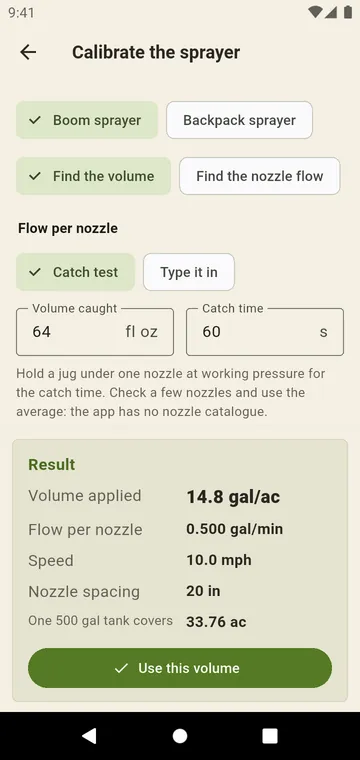
Calibrate the sprayer, from the Spraying tab. Hold a jug under one nozzle at working pressure: Volume caught and Catch time give the Flow per nozzle. Set the Nozzle spacing, or the Boom width and Number of nozzles.
Forward speed
With GPS, drive one straight pass: the app fits the speed to the positions and tells you if the pass was not straight or the signal was lost. With the Stopwatch, time the sprayer over a marked course. Or Type it in.
Volume or flow
Find the volume gives the Volume applied; Find the nozzle flow gives the Flow needed per nozzle for a Target volume. With a Backpack sprayer, spray a measured strip at your pace. Use this volume sends the result to the spraying calculation.